How it works
Allestellen is designed to answer one question fast: When’s the next departure?
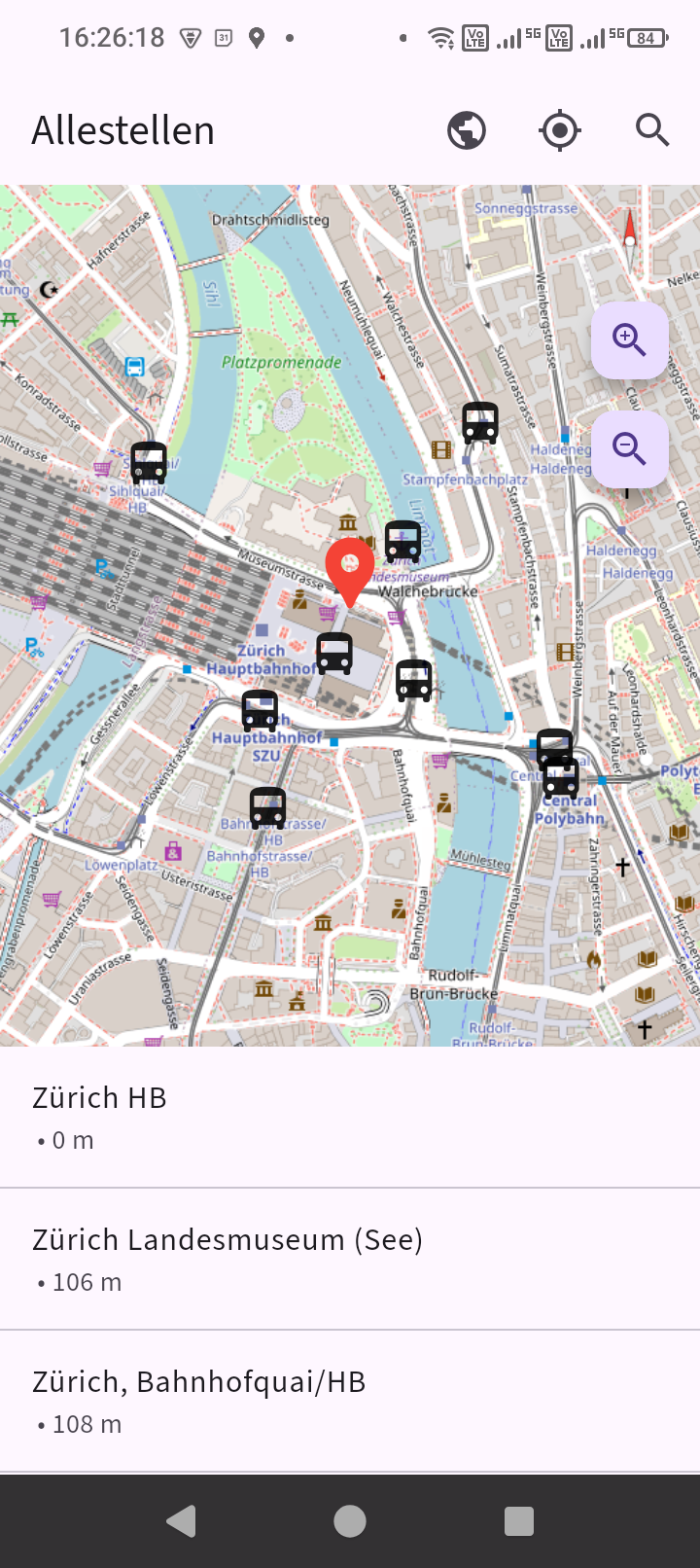
Find the right stop fast
Search matters, but often the fastest way is simply seeing what is around you. Allestellen shows nearby stops directly on the map so you can understand the station area at a glance.
- See nearby stops in geographic context
- Understand which side of a station or corridor you need
- Move quickly from map to live departures
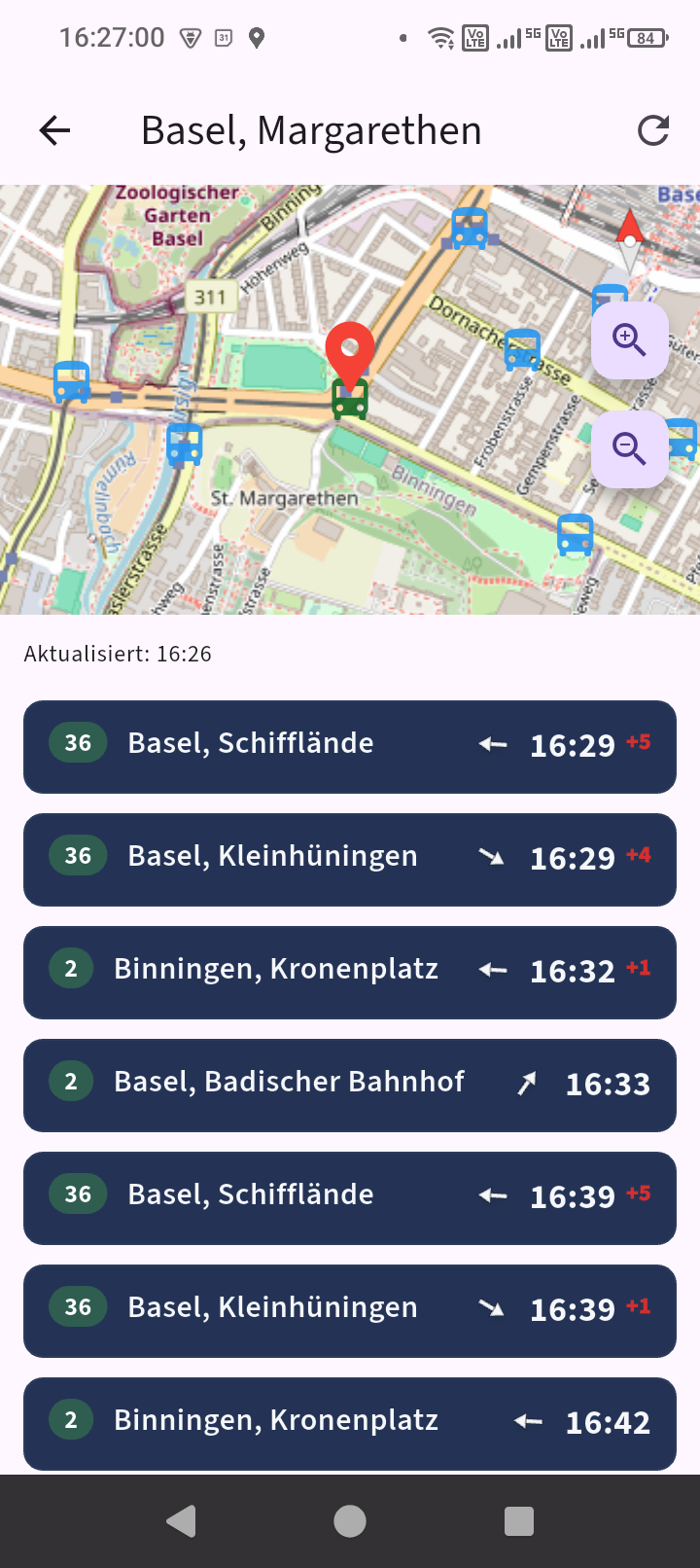
Read departures like a real departure board
The app is built around clarity: line, destination, platform, time, delay, and direction cues where they help. The goal is to make the important information obvious without extra clutter.
- Clean line and destination presentation
- Platform information that stands out
- Delay badges visible at a glance
- Directional arrows where they are useful
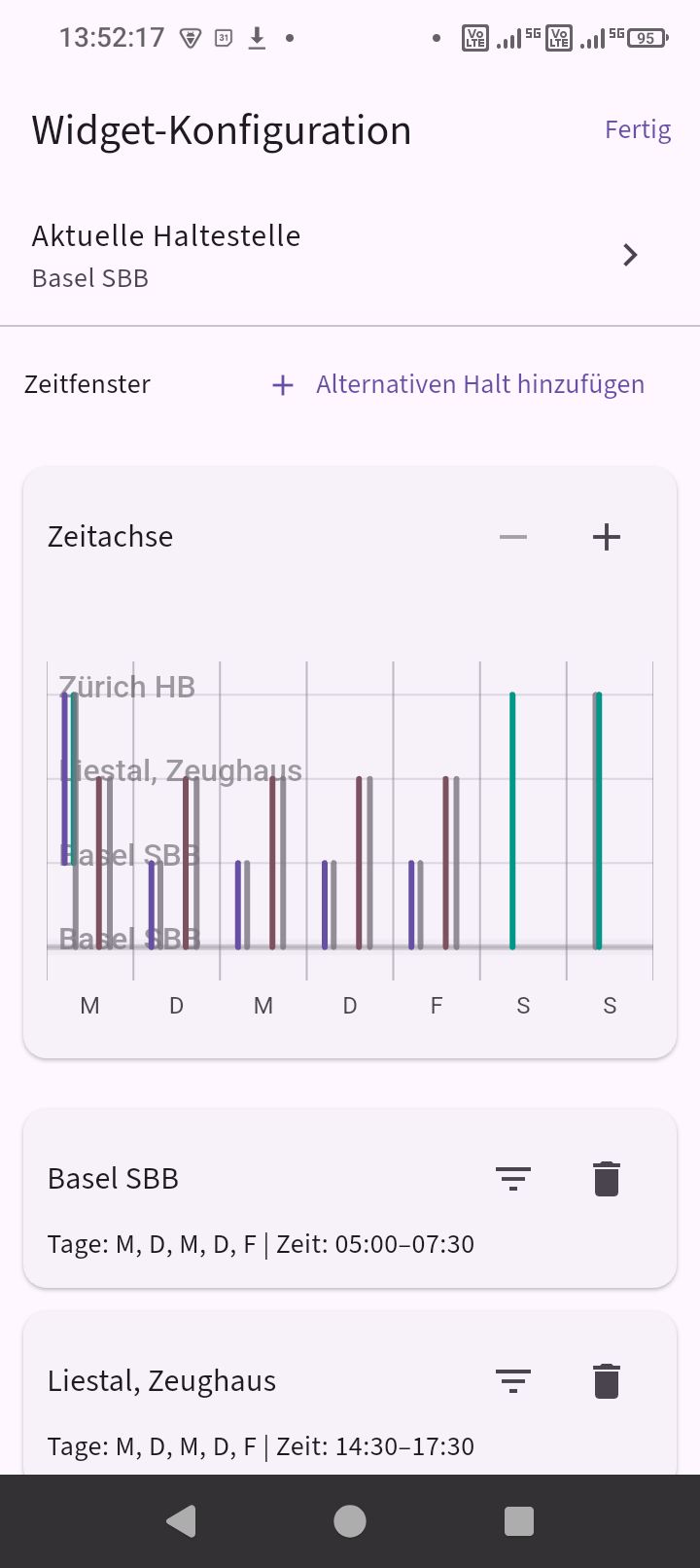
Schedule different stops for different times of day
Commutes are often directional. In the morning you may care about one stop, and in the evening another. Allestellen can schedule alternate stops so the board changes with your routine instead of staying fixed.
- Use different stops at different times
- Keep the board relevant through the day
- Make widgets and app views match real routines
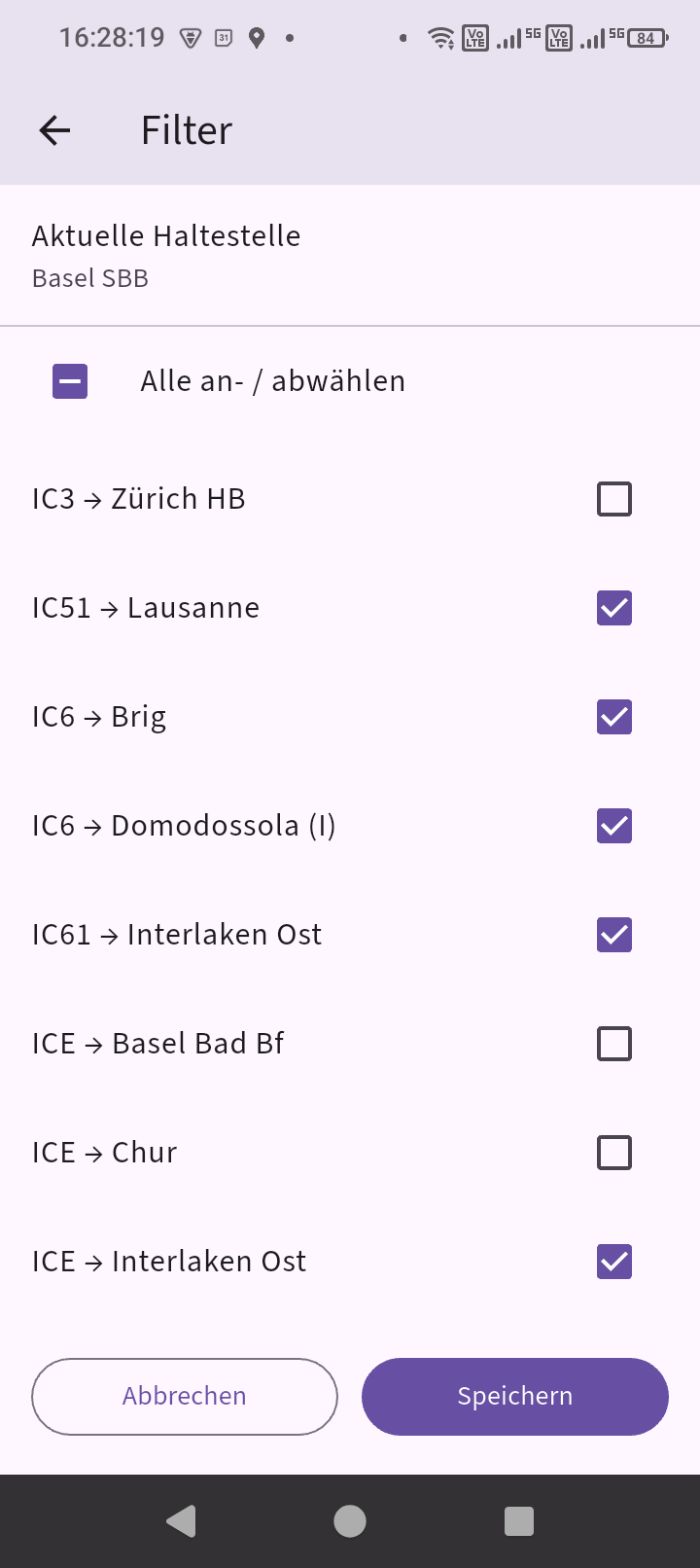
Hide what you do not need
Sometimes a stop has too many lines to be useful at first glance. Filters let you reduce the board to the routes that actually matter for that place and time.
- Remove services you do not care about
- Keep frequent stops readable
- Make the widget and app more focused
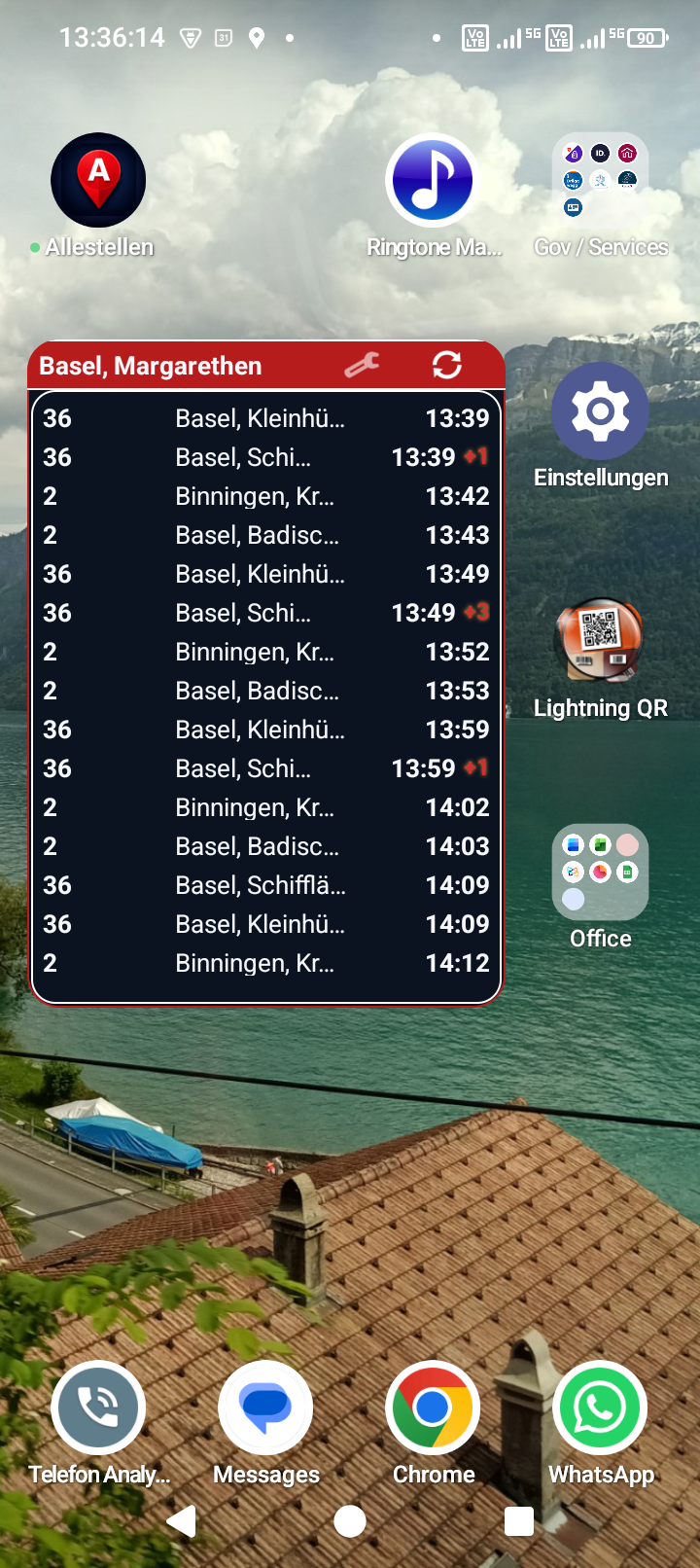
Put departures on your home screen
Home-screen widgets bring the same departure-board idea to the place where it is most useful: before you even open the app.
- Check departures without opening the app
- Use different widget sizes depending on your layout
- Keep your regular stop visible all the time
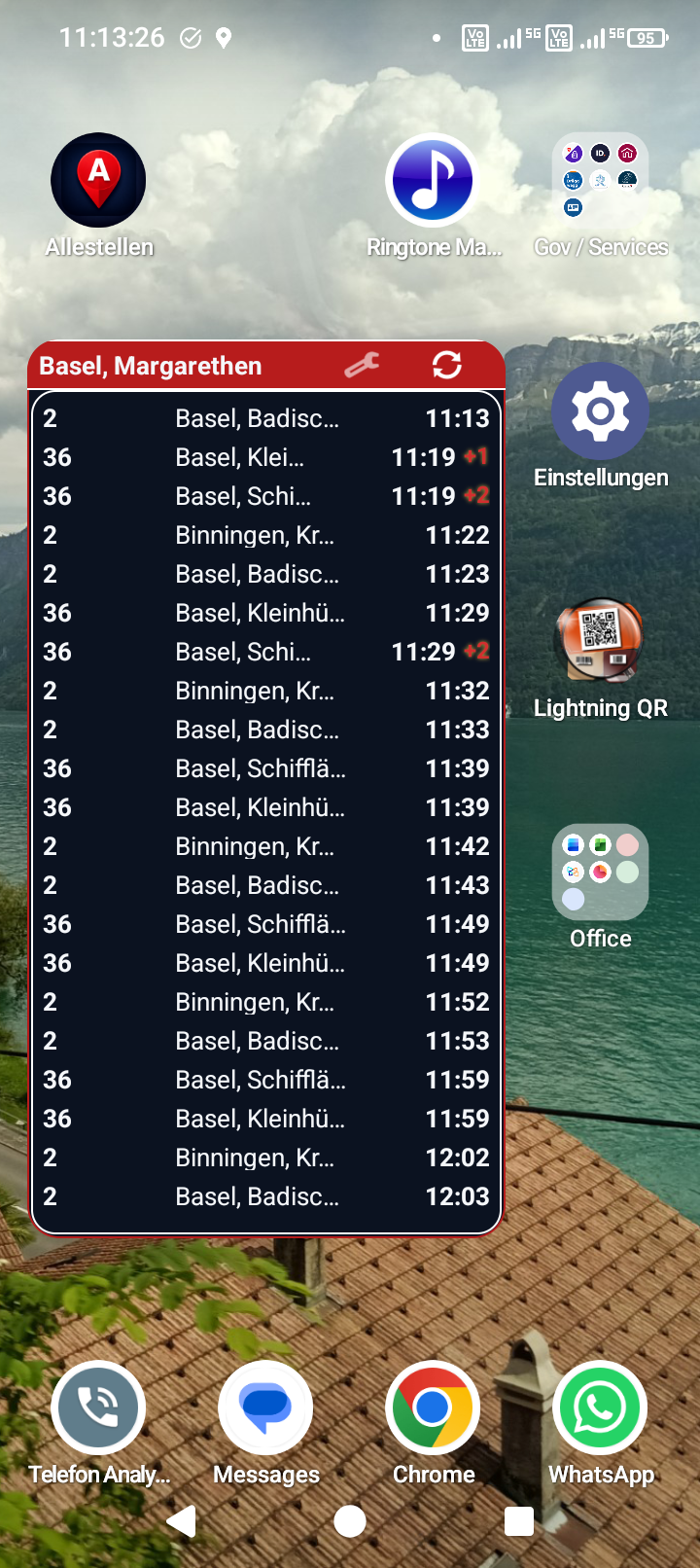
Widgets can follow your day
Allestellen is not just a static board. Widgets can be scheduled to switch stations and filters through the day so the board stays relevant to your routine.
- Morning and evening commute setups
- Scheduled station switching
- Scheduled route filtering